How It Works
A walkthrough of the system, step by step.
Paste your serial numbers
Enter serial numbers one per line, or comma-separated. The system accepts any format - with or without slashes, leading zeros, etc.
Each serial number gets looked up against USPTO TSDR. We pull the mark text, owner, filing date, status, and complete prosecution history.
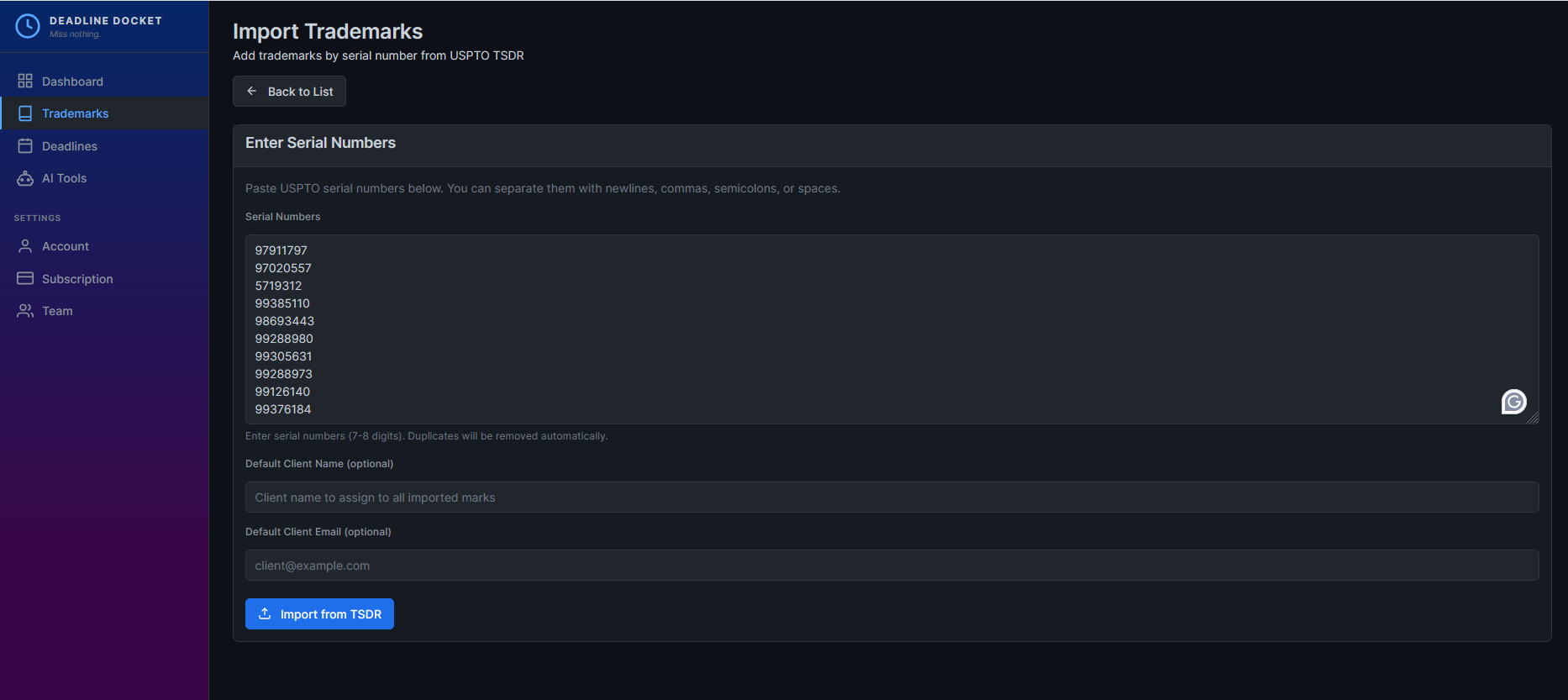
Automatic USPTO pull
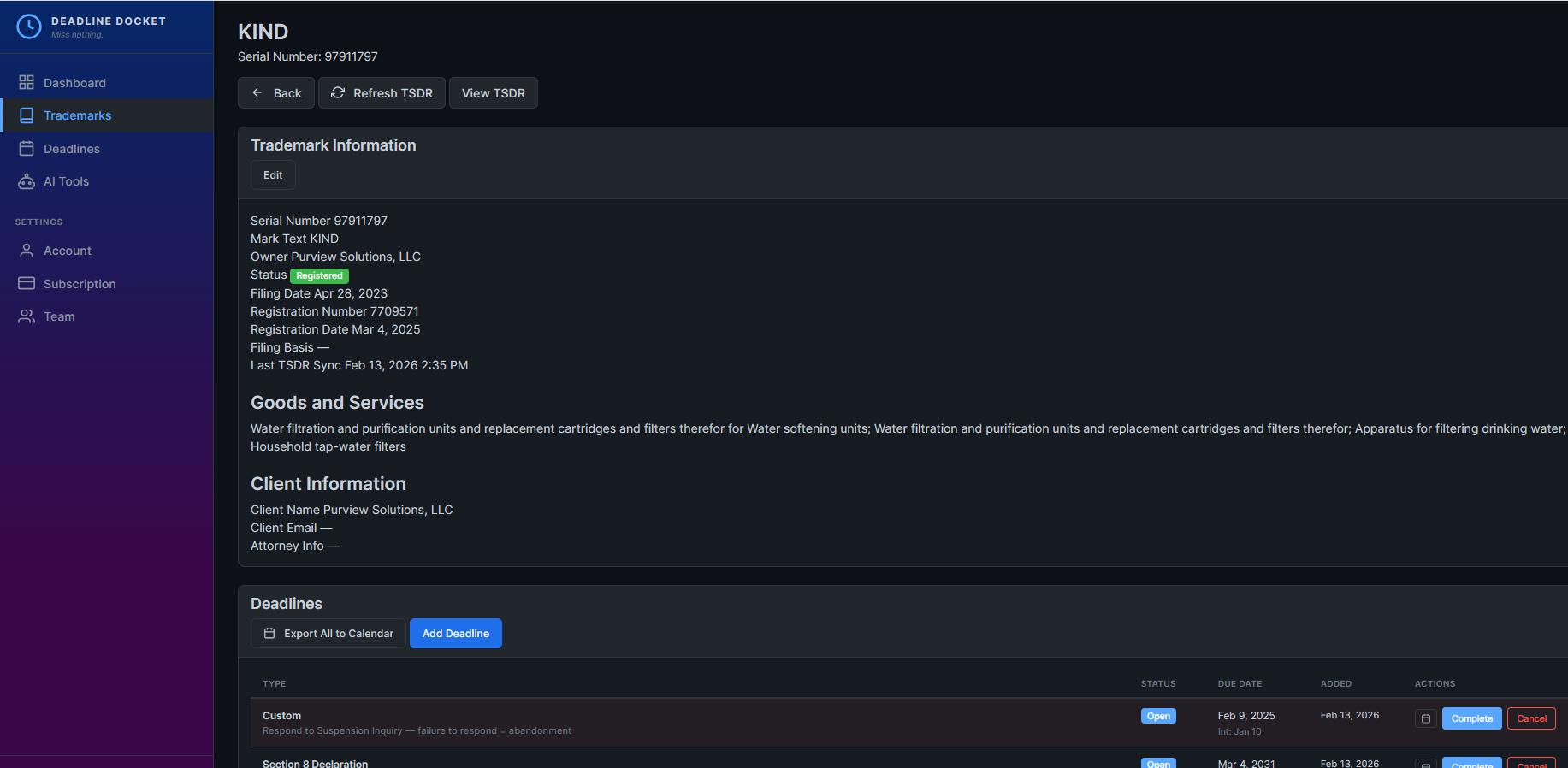
Within seconds, we fetch the full TSDR record. This includes:
- Current status (Live/Dead, registration status)
- All prosecution events with dates
- Owner and correspondent information
- Goods and services, design codes, etc.
The system calculates open deadlines based on the most recent events and status.
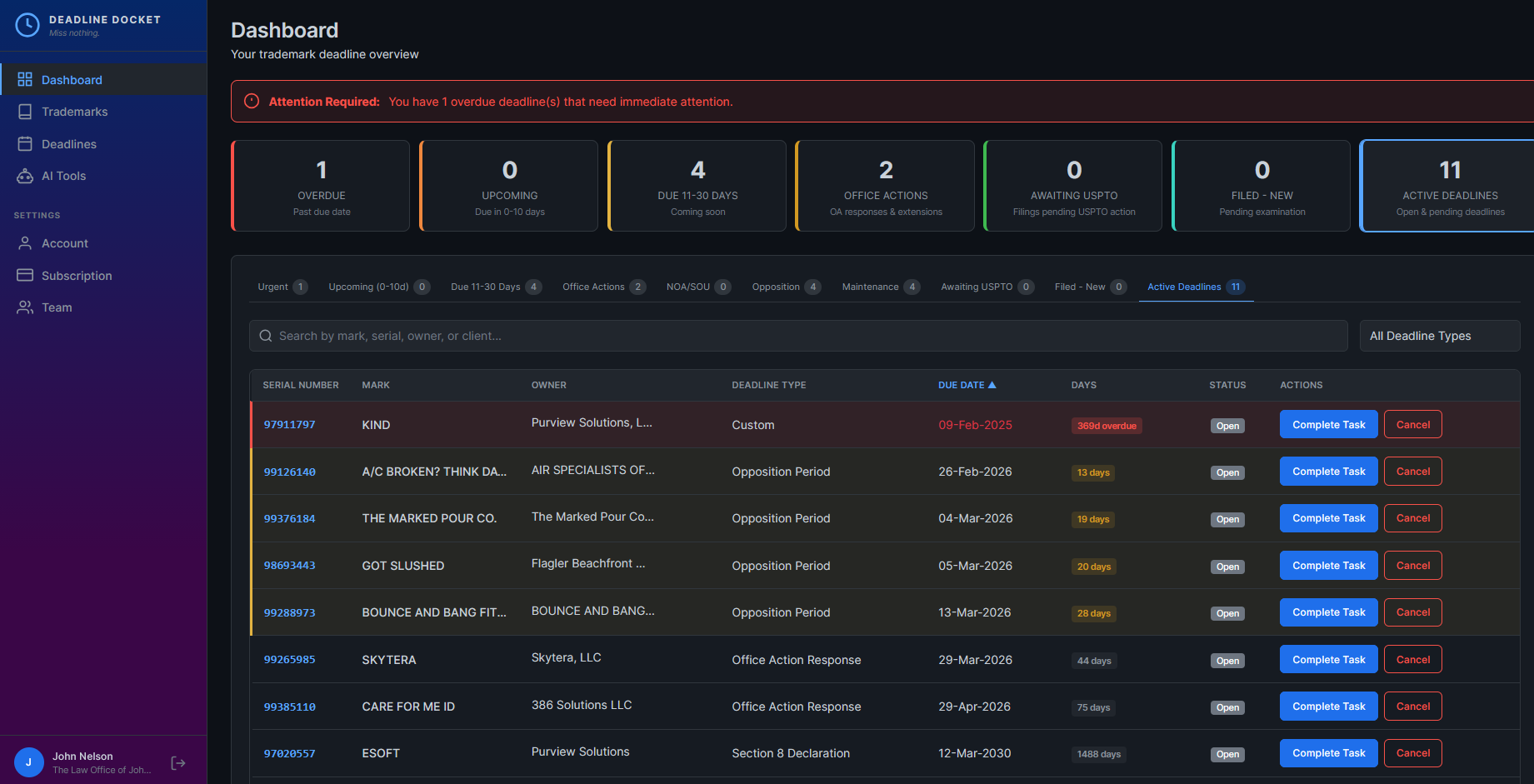
Dashboard as work queue
The dashboard isn't just a list of deadlines. It's organized by urgency:
- Overdue - Past the deadline date. Needs immediate attention.
- Urgent (0-3 days) - Due imminently.
- Due 4-10 days - Coming up soon.
- Awaiting USPTO - You filed, waiting for confirmation.
Tabs let you filter by deadline type: Office Actions, NOA/SOU, Maintenance, etc.
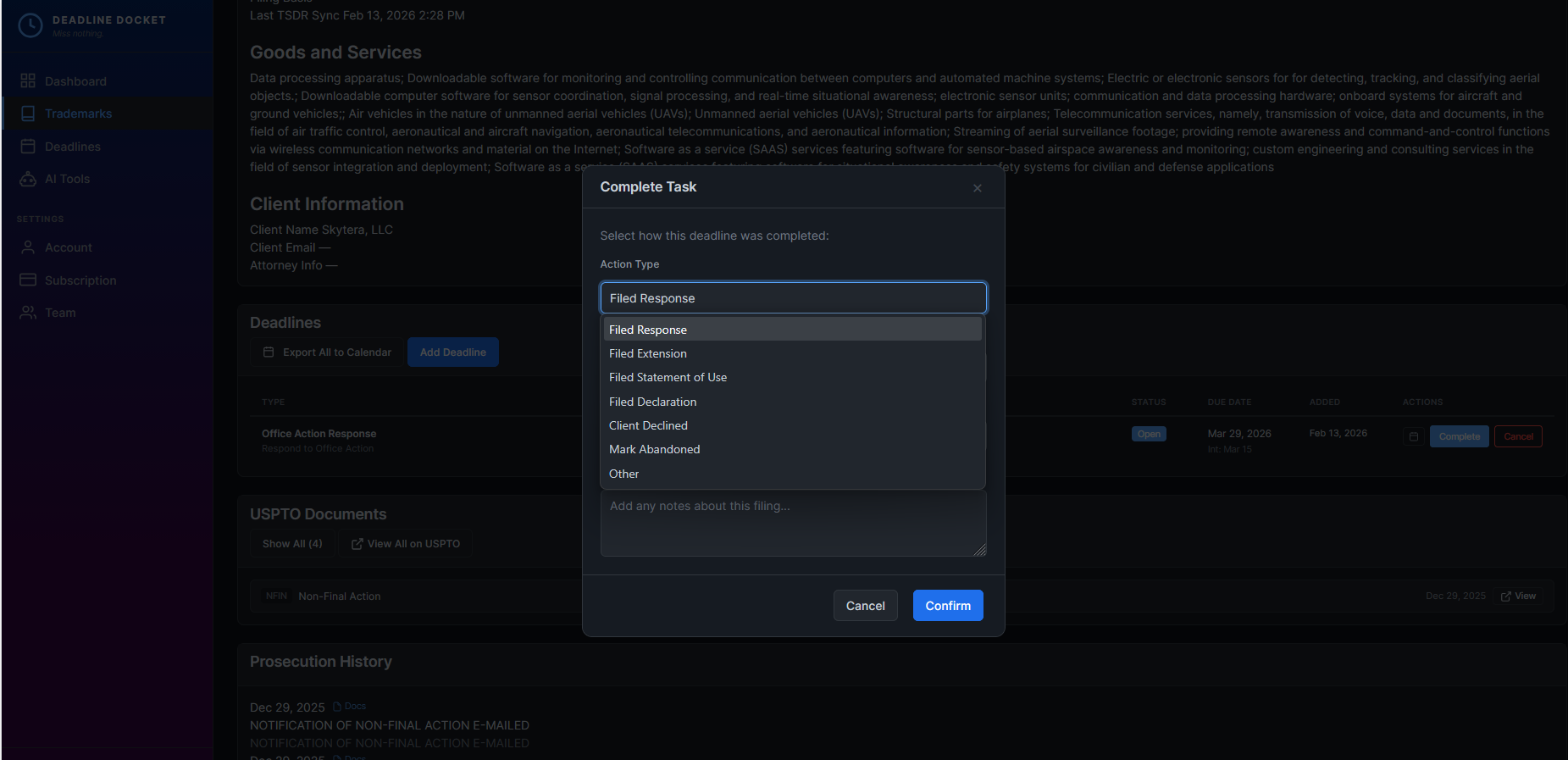
Complete a task, system knows what's next
When you click "Complete Task", you tell the system what action you took:
- Filed Response
- Filed Extension
- Filed Statement of Use
- Client Declined / Abandoned
The deadline moves to "Awaiting USPTO" status. The system starts checking TSDR to verify USPTO received the filing.
If it's an extension, the next deadline is automatically calculated. If it's a final response, the system watches for the next prosecution event.
Filing verification (the safety net)
This is the core differentiator. After you mark something filed:
- The deadline moves to "Awaiting USPTO" status
- The system checks TSDR every 24 hours
- When a matching event appears, the deadline is marked "Verified"
- If 5 days pass with no matching event, you get a "Filing Failed" alert
This catches the scenario where you thought you filed, but USPTO never received it. It happens more often than you'd think.
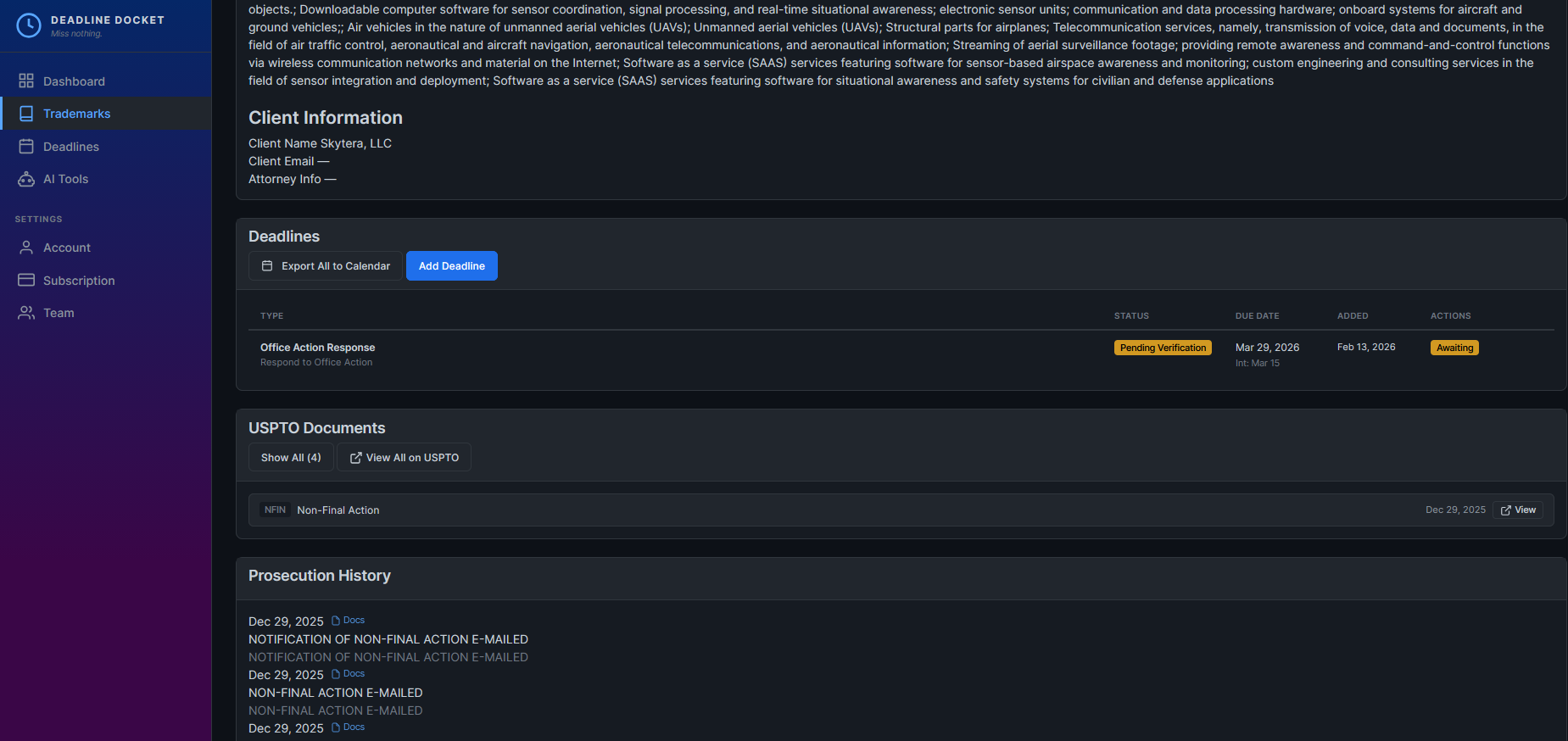
Customizable digest emails
Each team member configures their own digest schedule. Pick which days to receive it, what time, and which sections to include - upcoming deadlines, office actions, NOA/SOU, maintenance, or all of the above.
Attorneys can get a Friday afternoon summary to plan for the week ahead. Paralegals can opt for daily morning briefings to stay on top of filings. Everyone sees the same data, on their own schedule.
Even if you forget to log in, the digest catches it. Overdue items are always highlighted at the top. This is your second layer of redundancy.
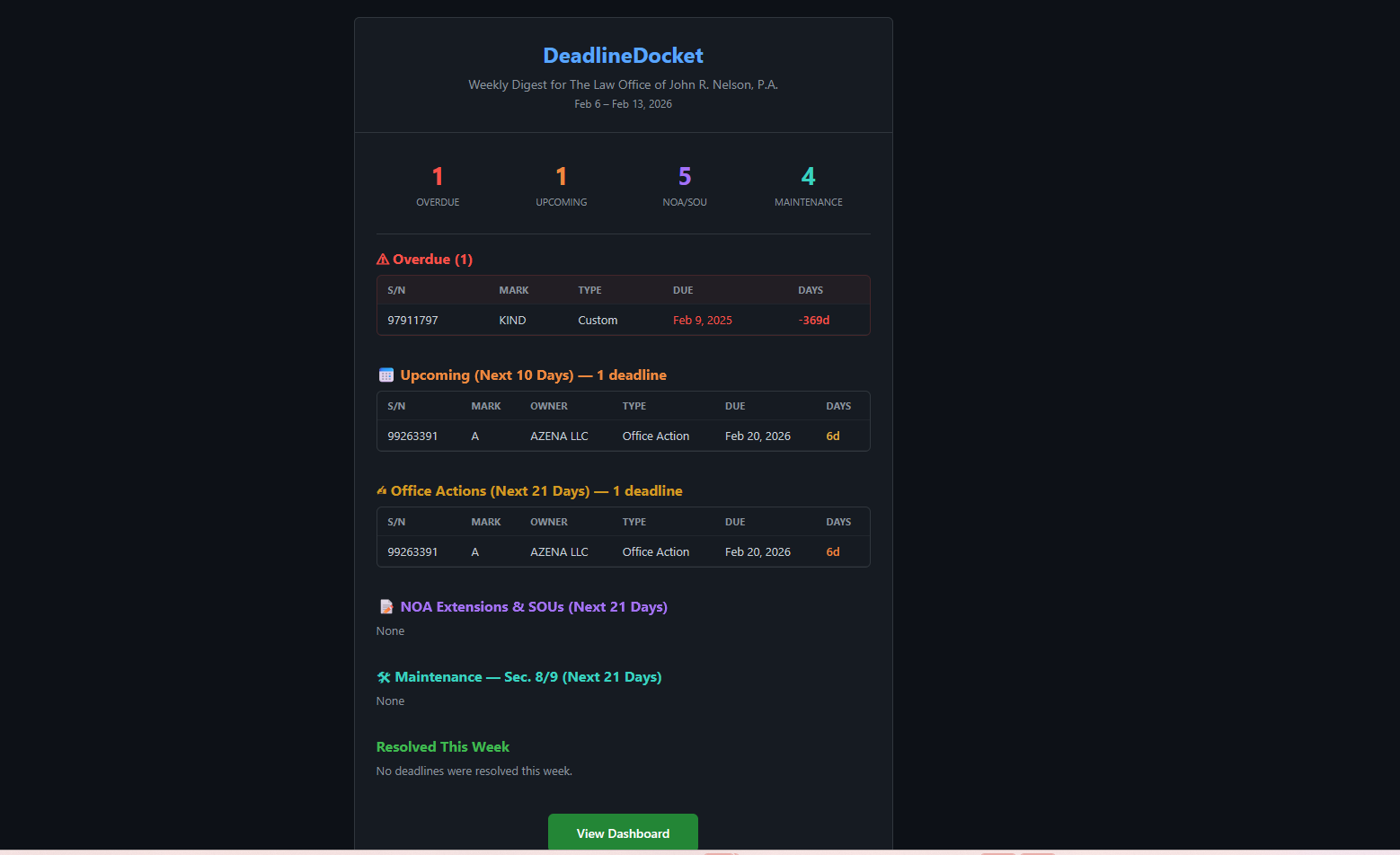
See the whole practice at a glance
Everything the system tracks rolls up into a graph on your dashboard. Not a report you have to run - it is just there, above your work queue.
- Practice activity over time - new applications, office actions received, responses filed, notices of allowance, and registrations, month by month. Toggle any line off to cut through the noise.
- Active marks by status - the shape of your book right now, with counts beside every slice.
- Application outcomes - what happened to the applications filed in the period.
Underneath sit the numbers that are hard to get any other way: average days to first response, average office action turnaround, distinct clients, and your abandonment rate.
Pick a window - last 3 months through last 2 years - and the whole view follows. Your choices are remembered per user, so your view stays yours.
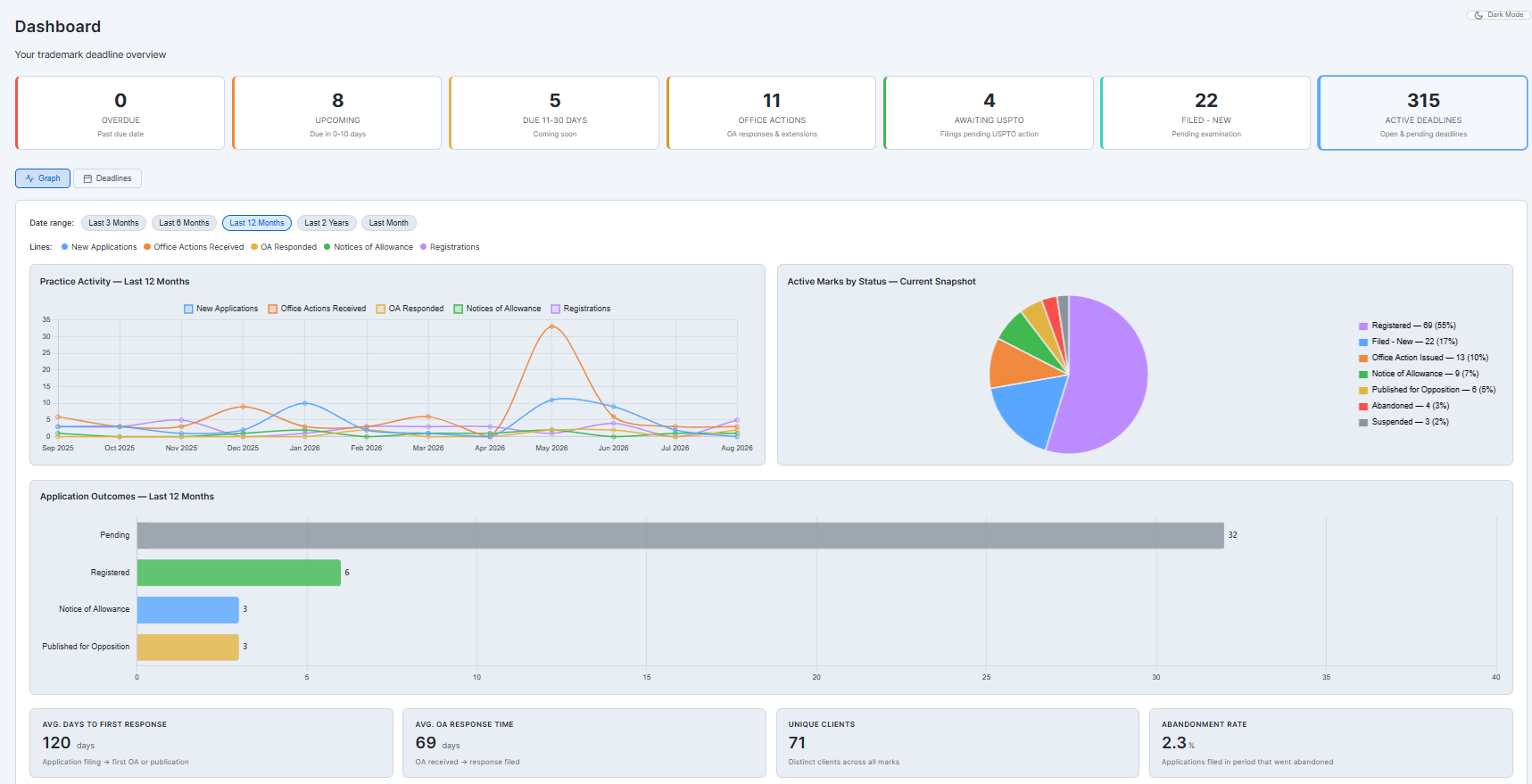
Beyond tracking: act on every deadline
Once a deadline is in front of you, DeadlineDocket™ helps you handle it — email the client, collect the fee, draft a response, and keep your contacts clean.
Client communications
Send a templated update straight from any trademark's Client Communications panel, or use Batch Client Outreach to email every client with an upcoming deadline in one pass. Every send is audit-logged.
Templates you control
Tailor the SOU, Notice of Allowance, Office Action, and Section 8 emails to your voice. Merge tokens fill in the details, a days-remaining badge turns red at 30 days, and each template carries a default fee.
Get paid in two clicks
Add your own payment URL — LawPay or any processor — and a pay-now link drops into your client emails with the fee and mark reference pre-filled. Clients approve and pay without the phone tag.
AI drafting help — your key
Draft and summarize Office Action responses for your review. Bring your own API key and pick your provider — Claude, ChatGPT, or Gemini. It's an attorney-review assistant, not automated legal advice; you review and finalize everything.
Clean client contacts
A Contacts page plus a Review Queue for contact hygiene: merge duplicate clients, fill missing emails and phones, and roll a client's marks under one contact so your emails land.
See how DeadlineDocket compares to AppColl, Alt Legal, DocketTrak, ActionResponder, and Clio →